
View the photos, videos, and music stored on your Samsung smartphone or tablet, copy them to the PC and keep them synchronized.
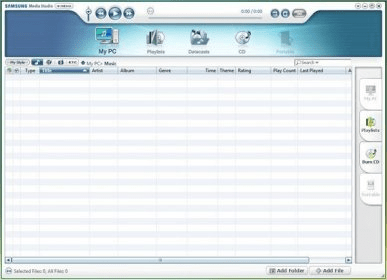
Samsung Media Studio was developed to manage audio, video, photo collections and so on. After you have installed it, this program, every time when you connect player to the computer, will start up offering you to check if there is any media files on the drive. The program has handy interface. You work in two windows: in the first one - your PC or portable data medium and in the second one - player. So, if you want to import, say, some tracks from the drive, you need just to mark out appropriate tracks and press the right arrow. Samsung Media Studio has convenient navigation, audio and video player embedded. The program converts tracks into MP3 format, record them on your player and on PC in the Music folder. It can do the same also with video.
Unfortunately, the player doesn’t support all formats. In this situation SMS will help you to transfer video file on your player.
In addition, you can use Media Studio to burn CDs and to move the locations of your MP3 files and even purchase MP3 files on the online shop linked to this program and directly store the files you have purchased in your computer (you can download the files without any additional program since Samsung Media Studio recognizes those files as part of a removable disk).
Accordingly, Samsung Media Studio is a good alternative to Apple iTunes, especially for Samsung MP3 players’ users. It is worth to say that Samsung Media Studio will offer to update it periodically.





Comments (6)